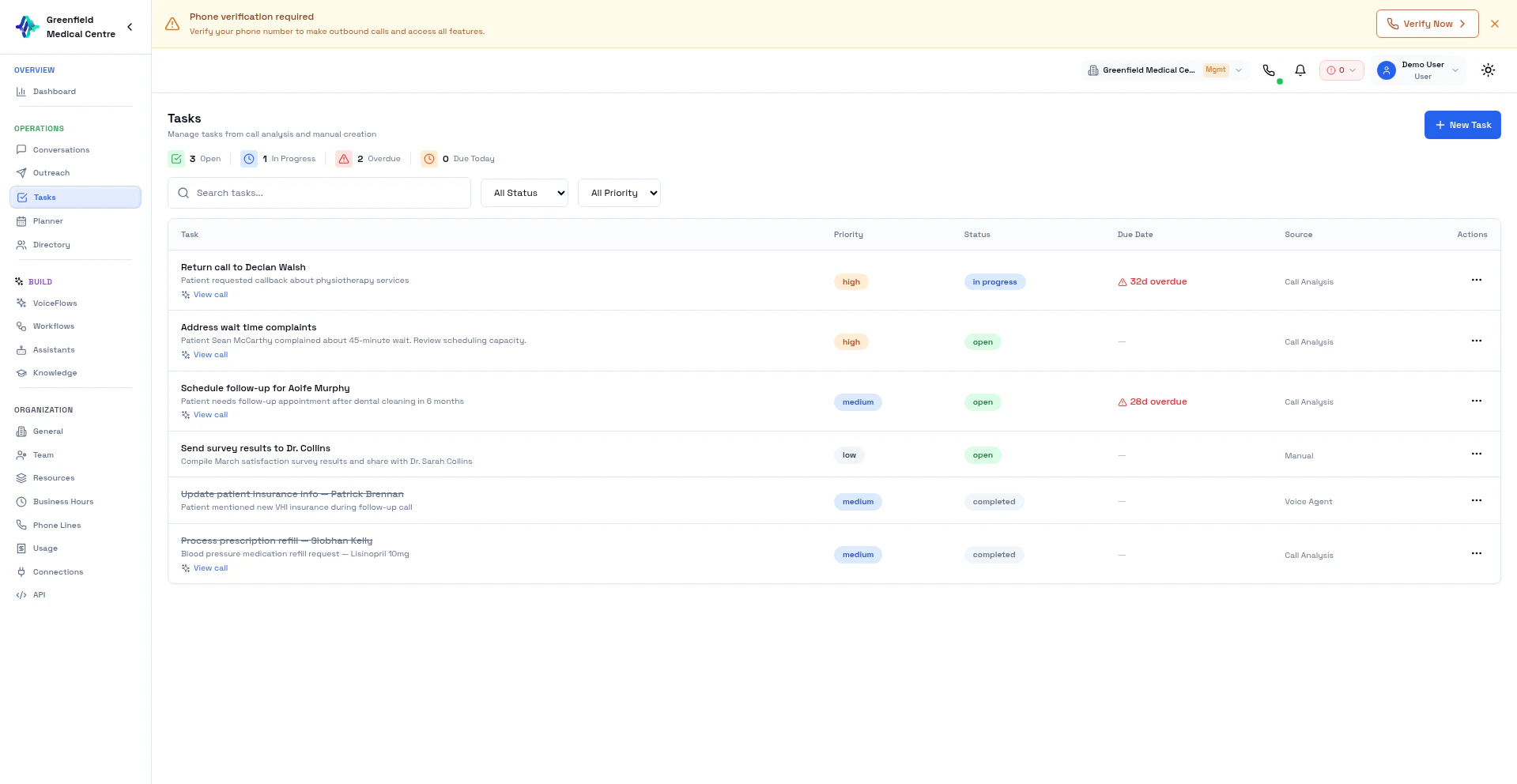
How Tasks Are Created
After every completed call, the AI analysis pipeline reviews the conversation and extracts actionable items. For example:- “Send pricing document to customer”
- “Schedule follow-up call for next Tuesday”
- “Escalate billing issue to accounts team”
- “Email contract to john@example.com”
Task List
Navigate to Tasks in the Workspace section to see all tasks across your workflows. Each task shows:- Title — What needs to be done
- Source — Which conversation generated the task
- Contact — Associated contact from the Directory
- Status — Open, In Progress, or Completed
- Priority — Derived from the conversation context
- Created — When the task was generated
Managing Tasks
Update Status
Click on a task to update its status:- Open — Not yet started
- In Progress — Being worked on
- Completed — Done
View Source Conversation
Each task links back to the conversation that generated it. Click the conversation link to review the full context — recording, transcript, and AI analysis.Best Practices
Next Steps
Conversations
Review calls that generated tasks
VoiceFlows
Configure analytics to improve task extraction