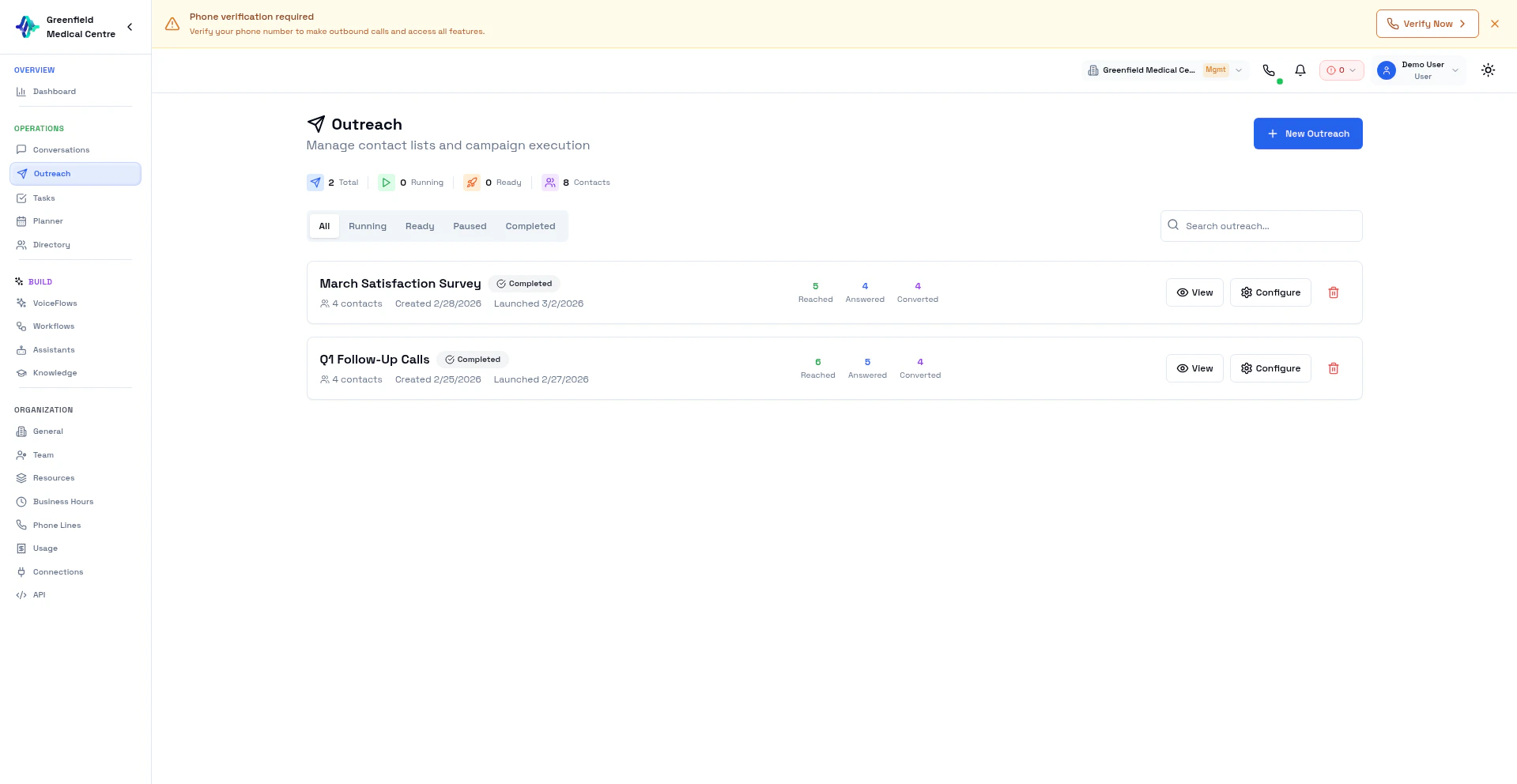
Outreach is where you execute your AI calling campaigns. While VoiceFlows define how to make calls, Outreach is the actual execution — applying a VoiceFlow to a specific list of contacts.
VoiceFlows vs Outreach VoiceFlows Outreach Reusable templates Specific execution instances Define AI assistant, objectives Apply a VoiceFlow to contacts No contacts attached Contacts uploaded per outreach Configure once, use many times Track real-time progress
Think of it this way: A VoiceFlow is your playbook. An Outreach is running that playbook with a specific roster of contacts.Creating an Outreach
Navigate to Outreach
Go to Outreach in the Engage section and click New Outreach .
Name Your Outreach
Give it a descriptive name (e.g., “January Sales Push — West Region”).
Upload Contacts
Upload a CSV file with your contact list.
Select VoiceFlow
Choose which VoiceFlow to use for these calls.
Configure Schedule
Set when and how fast to make calls.
Launch
Click Launch when ready to start calling.
Schedule Options Schedule Description Now Start immediately Business Hours Only call during business hours Custom Set specific start/end times
Pacing Options Pacing Speed Best For Slow 1 call/minute Testing, high-touch VoiceFlows Normal 5 calls/minute Standard outreach Fast 10+ calls/minute High-volume campaigns
You can also set Max Concurrent Calls to limit simultaneous calls.
Start with Slow pacing for new VoiceFlows to monitor quality before scaling up.
Outreach Statuses Status Description Ready Contacts uploaded, waiting to launch In Progress Actively making calls Paused Temporarily stopped Completed All contacts processed
Managing Outreach
Launch — Start calling on a “Ready” outreachPause — Temporarily stop calls (to review results or adjust settings)Resume — Continue where you left offDelete — Remove the outreach (only when Ready or Completed)
Progress Tracking While an outreach runs, you can see:
Progress Bar — Percentage of contacts processedTotal Contacts — Number in this outreachReached — Contacts successfully calledAnswered — Calls that were picked upConverted — Calls achieving the VoiceFlow objective
Column Required Description nameYes Contact’s full name phoneYes Phone number with country code emailNo Email address companyNo Company name
name, phone, email, company John Smith, +15551234567, john@example.com, Acme Corp Jane Doe, +15559876543, jane@example.com, Tech Inc
Best Practices Test First: Run a small outreach (10-20 contacts) before launching at scale.
Use Business Hours: Respect time zones and call during appropriate hours.
Compliance: Ensure you have consent to call these contacts. Follow TCPA, GDPR, and local regulations.
Viewing Results After an outreach completes:
Go to Outreach and click on the completed outreach
View summary statistics
Click through to Conversations for detailed call records
Next Steps
VoiceFlows Set up VoiceFlow templates for outreach
Conversations Analyze call results from outreach
Directory Prepare contact lists
Assistants Customize your AI assistant